



Password Viewer
1.0.3PaidOne-offNo reviews yet. Be the first to leave one. 322 viewsInvision Community 5 › Member Tools
By VulpelabFind other Vulpelab files
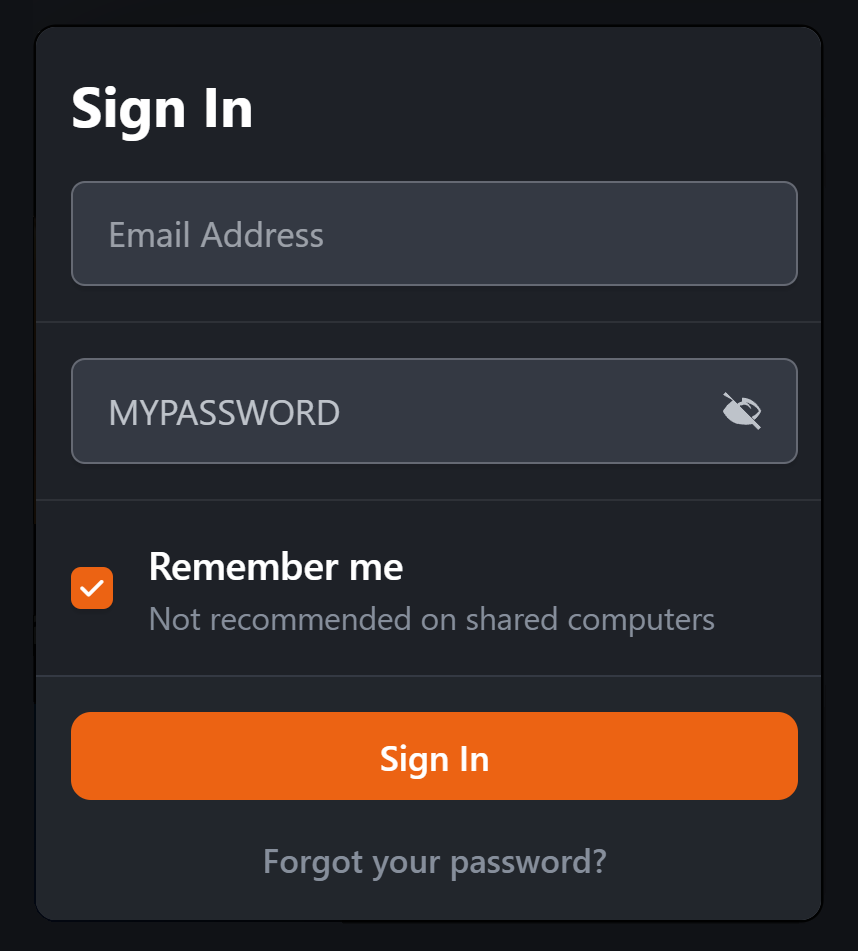
Adds a convenient Show/Hide Password option to password fields, allowing members to quickly check their password before submitting a form. This helps reduce typing errors and improves the overall user experience, particularly when entering longer or more complex passwords.
The feature has been tested in the following areas:
Login
Registration
Password-protected forums
Account Settings → Security and Privacy
Forms requiring password re-authentication
The functionality is designed to work automatically with password fields throughout the front end, providing a consistent experience across the community without requiring individual forms to be modified.
What's New
Be the first to like this
Reviews
0 reviews Add a review...
Log in to leave a review.
No reviews yet. Be the first to leave one.
v1.0.3 (August 14)
Current releaseOther Marketplace modules
Abuse Detection
One-off
Invision Community 5 › Security
Application-layer abuse detection for Invision Community, with an AttackHistory collector. Records scanner probes, XSS/SQLi/traversal attemp
0 reviews 90 views
View product Topic Post ID Restore
Free
Invision Community 5 › Member Tools
Restores sequential post numbers on Invision Community 5 topic replies. Each number sits next to the post options menu and links to that rep
0 reviews 117 views
View product Vulpelab: Abuse Detection
One-off
cPanel / WHM › Security
Abuse detection for cPanel/WHM servers, with Licence & Cloud so the install can activate and validate against Vulpelab Cloud. Same comme
0 reviews 127 views
View product Vulpelab: Abuse Detection
One-off
Linux › Security
Abuse detection for Debian / Proxmox Linux servers. Command-line GUI (TUI), not WHM. Own Cloud module so a VL- key can be sold and validated
0 reviews 84 views
View product