



Marketplace
Browse modules for Invision Community.
Buying an item creates a licence if you do not have one, or adds it to a licence you select. Install from Licence & Cloud → Updates on your board.
Log in to see licences from your purchases.
Categories
Products
Abuse Detection
Application-layer abuse detection for Invision Community, with an AttackHistory collector. Records scanner probes, XSS/SQLi/traversal attemp
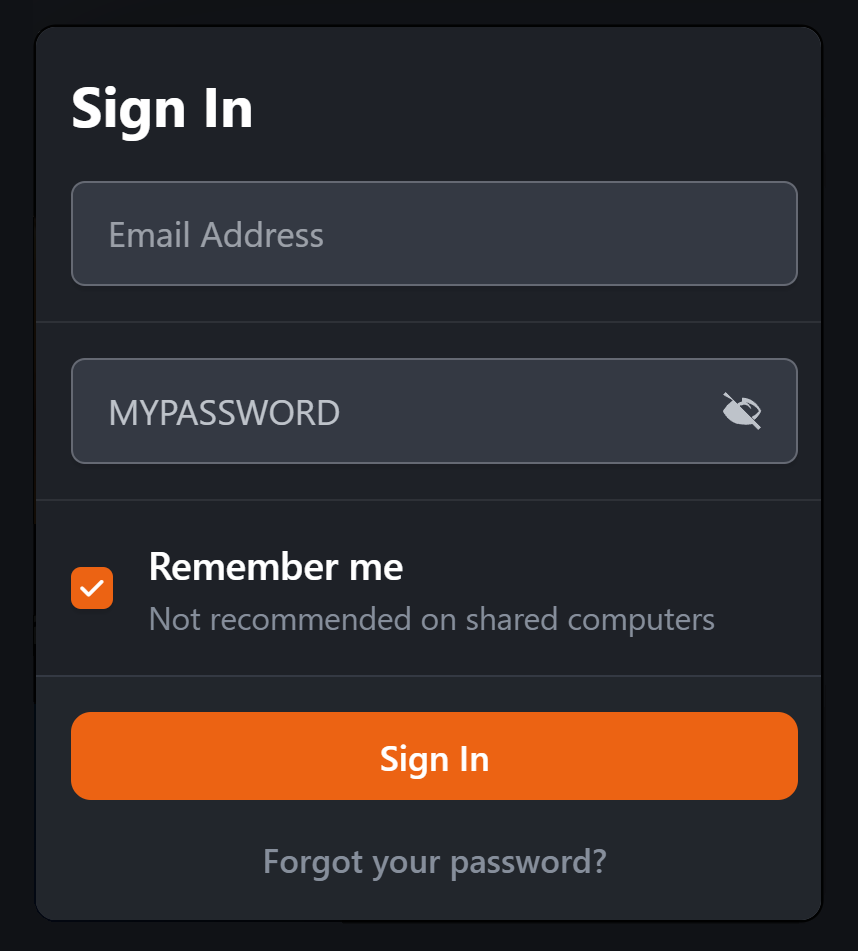
Password Viewer
Adds a convenient Show/Hide Password option to password fields, allowing members to quickly check their password before submitting a form. T
Topic Post ID Restore
Restores sequential post numbers on Invision Community 5 topic replies. Each number sits next to the post options menu and links to that rep
Vulpelab: Abuse Detection
Abuse detection for cPanel/WHM servers, with Licence & Cloud so the install can activate and validate against Vulpelab Cloud. Same comme
Vulpelab: Abuse Detection
Abuse detection for Debian / Proxmox Linux servers. Command-line GUI (TUI), not WHM. Own Cloud module so a VL- key can be sold and validated
After payment: My Licences → download Licence & Cloud → activate the key on your board. Packages are not emailed as zip files.